Update booked sessions after editing a template
Updated July 26, 2026
You improve a template — bump the bench to eight reps — and then remember five clients already have next week booked off the old one. Rewrite each by hand and you will miss one; rewrite them all automatically and you might trample a session someone has already trained. Neither is good enough.
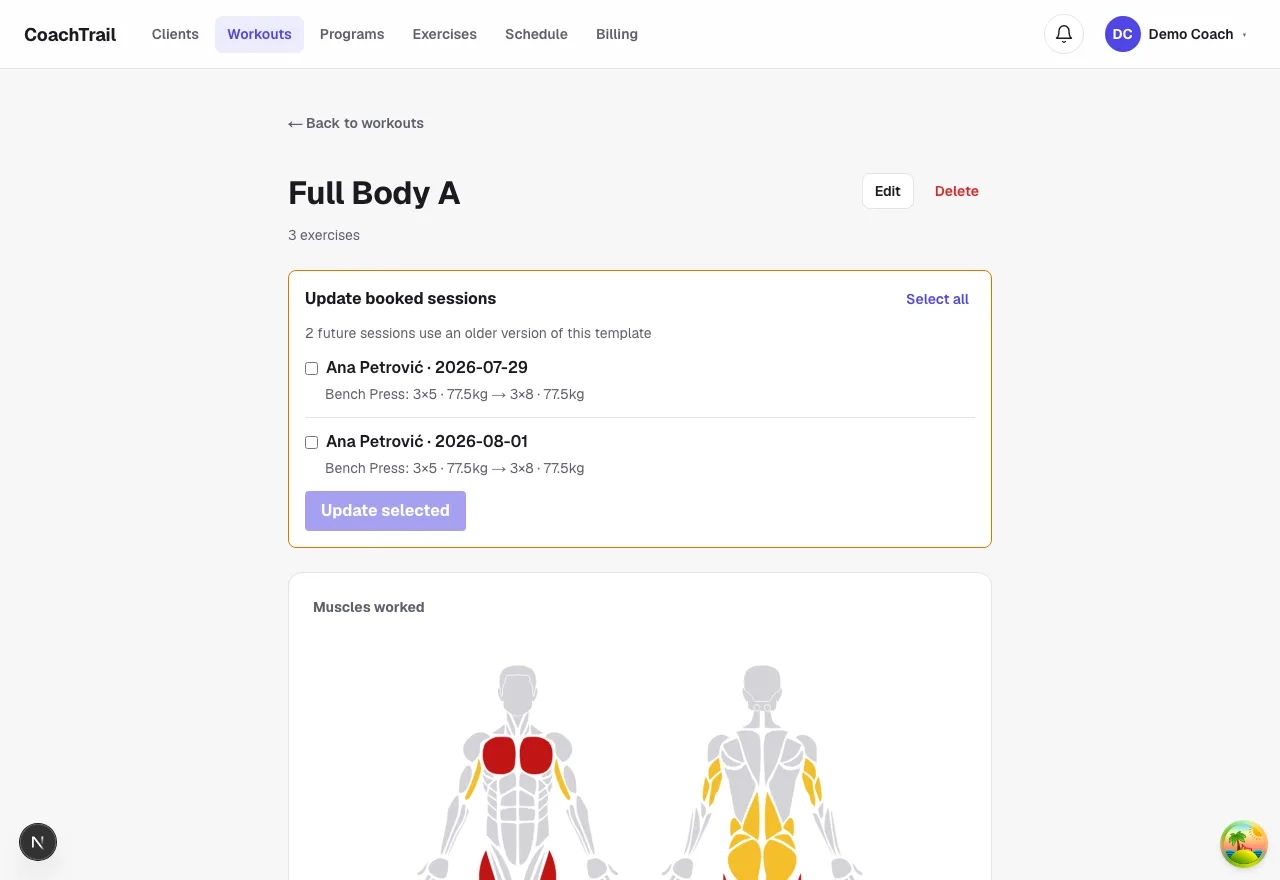
Edit once, review the fallout
When you save a change, CoachTrail shows you the booked sessions still running the older version of that template — each with the exact difference, like “Bench Press: 3×5 → 3×8”. You see precisely what would change before anything does.
Only the future, only what you pick
The list is future sessions, still to be done. A session a client has already completed is never touched — the record of what they actually did stays exactly as it was. You tick the ones to update and leave the rest.
Custom bookings stay custom
If you hand-tailored a booking for one client, propagation leaves it alone — it only re-applies to sessions that were built from the template in the first place. Your one-off edits survive a template change instead of being quietly reset.
In CoachTrail a template edit becomes a reviewed, opt-in update to exactly the sessions that should change. Create your coach account and keep your booked sessions in step with your templates.