How to schedule training sessions for your clients
Updated July 24, 2026
Scheduling training sessions for a roster of clients falls apart in a shared calendar or a spreadsheet the moment you have more than a handful of people. Each client has their own plan, their own weights, their own week. What you want is one place where a session belongs to a client, carries that client’s workout, and repeats on the days you actually train them.
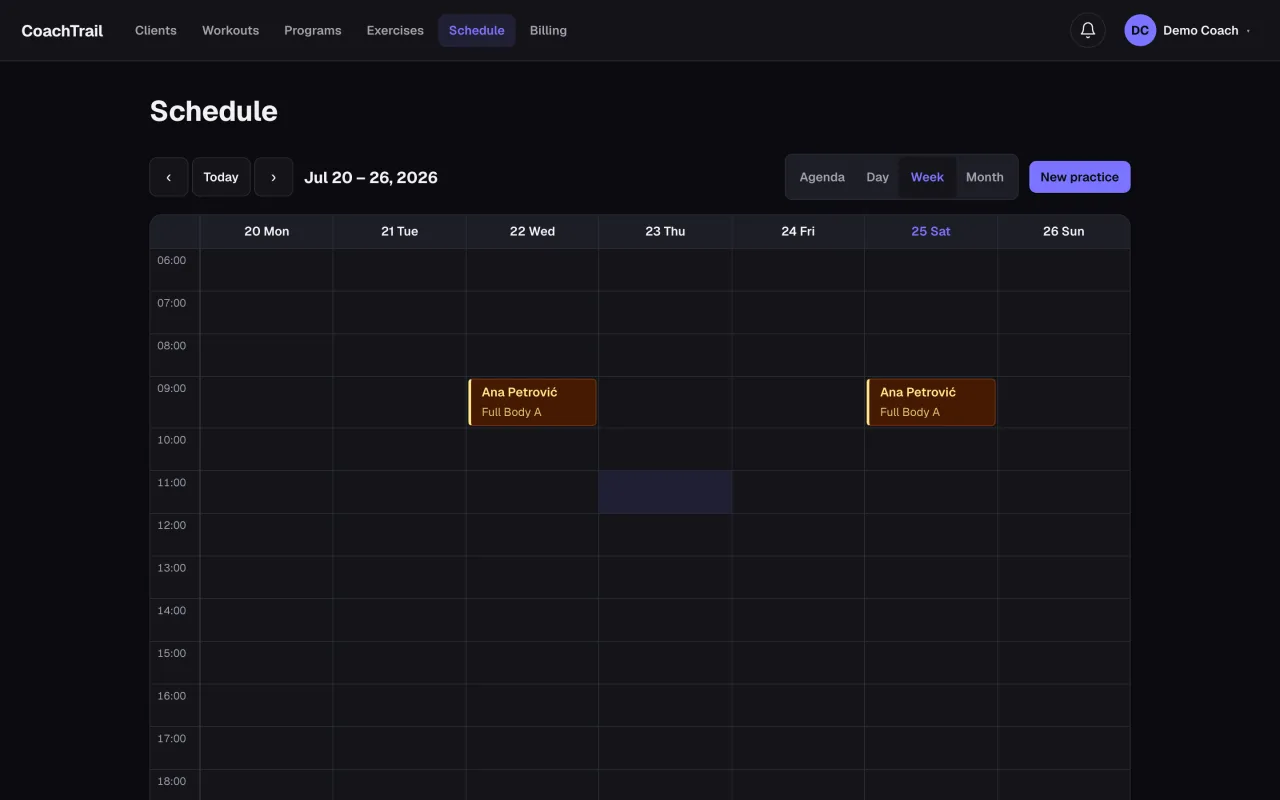
Book one session, or a whole series
Most coaching runs on a rhythm — Tuesdays and Thursdays, three mornings a week. Booking a recurring series once, instead of copying a session by hand every week, is the single biggest time saver. A one-off still has its place: an assessment, a make-up session, a one-time consult. You want both without thinking about which is which.
Keep the plan with the session
A time on a calendar is not a training session. The session is the workout — the exercises, the reps, the weight for this client, and the small weekly increment that moves them forward. When the plan travels with the booking, the client opens the app and sees exactly what to do, and you are not re-typing loads into a message thread the night before.
Let it show up where you already look
You do not live in one more app. Syncing scheduled sessions into your own Google Calendar means your coaching sits beside the rest of your day, and a change you make once is a change everywhere.
CoachTrail does exactly this: build a workout template once, book it for a client as a one-off or a weekly series with their own reps and weights, and sync it to your calendar. Start coaching free — your first booking takes a minute.